10 ETSY Digital Paper Mockup Templates for Instant Sales
Creating compelling product listings for your digital paper shop on Etsy can feel like a second full-time job. You've spent hours designing beautiful patterns, but now you need to showcase them in a way that stops a scrolling customer in their tracks. The challenge isn't just about showing your paper; it's about selling an experience, a feeling, a potential project. This is where a strategic approach to mockup templates becomes your most valuable design asset.
Transform Your Etsy Shop with Professional Mockups
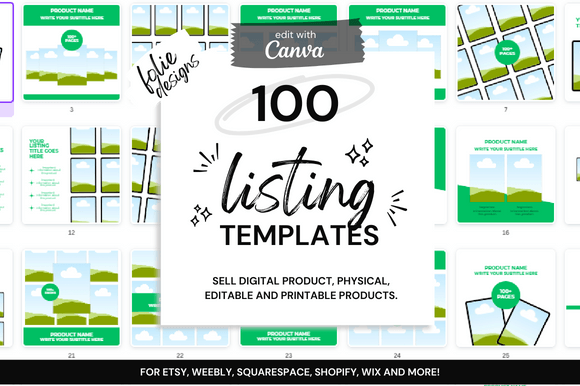
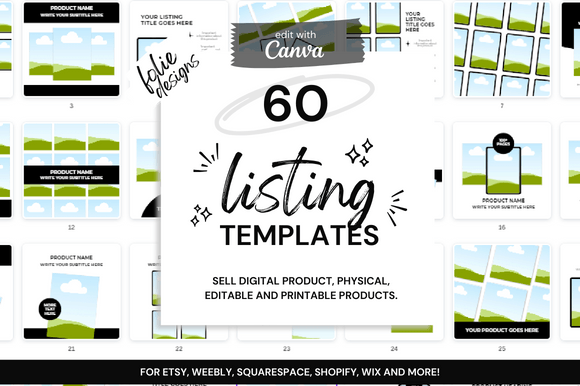
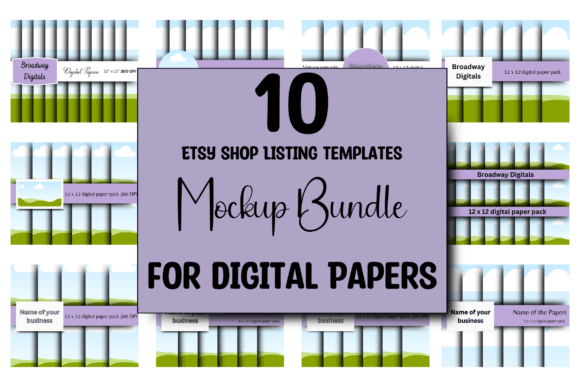
The 10 ETSY Digital Paper Mockup Templates are a curated collection of Canva-based scenes designed specifically for digital paper artists. Think of them as a pre-built stage for your patterns. Each template provides a realistic, styled environment—perhaps a flat lay with craft supplies, a notebook with a pen, or a series of stacked cards—where you can simply drag and drop your digital paper design. The visual style is clean, modern, and highly customizable, ensuring your unique pattern remains the hero. The overall appeal lies in its professionalism and consistency. Instead of your shop looking like a collection of random patterns, it becomes a cohesive brand identity that signals quality and intention to potential buyers.
These templates are built for practicality. Each listing image is precisely sized at 2500px by 2000px, meeting Etsy's recommended dimensions for crisp, clear displays on all devices. The true power, however, is in the customization. Within Canva's intuitive interface, you can adjust background colors to complement your palette, change the font and text in the mockup to reflect your shop's name or a promotional message, and even modify other graphic elements. This flexibility allows you to create a suite of images for a single listing that tells a visual story, from a close-up of the pattern to a wider scene showing its application.
Where These Templates Excel: Beyond Basic Listings
While their primary function is to create stunning Etsy listing images, the utility of these 10 ETSY Digital Paper Mockup Templates extends across your entire marketing ecosystem. They are perfect for crafting consistent social media graphics for platforms like Instagram and Pinterest, where visual appeal is paramount. Use them to generate content for promotional banners, sale announcements, or "new arrival" posts. For designers and small business owners who sell on multiple platforms, these templates help maintain a unified look across your Etsy shop, personal website, and social channels, reinforcing your brand identity with every post.
The practical guidance for using them is straightforward. First, choose a template that best suits the mood of your paper collection. A floral, whimsical pattern might fit beautifully in a mockup with soft lighting and feminine props, while a geometric, bold design could be showcased in a minimalist, modern setting. After dropping your pattern into the designated area, evaluate the overall composition. Does the background color fight your pattern or support it? Is the added text legible? This process of evaluation and testing is crucial for professionalism. The ability to pair your pattern with different font pairings in the mockup text also allows you to experiment with how your brand voice might look in a visual context.
Maximizing Readability and Visual Hierarchy in Your Ads
A common pitfall in digital product marketing is creating images that are visually busy but fail to communicate clearly. The strength of a well-designed mockup is its ability to establish a clear visual hierarchy. Your digital paper should be the most prominent element, immediately drawing the eye. The mockup's props and scene should support it, not compete with it. The included text areas are for essential information—your shop name, a simple call to action, or a key feature like "Seamless Pattern" or "300 DPI." Using a clean, readable sans serif font for this text ensures it doesn't distract from the main attraction.
Consider the psychology of your customer. They are often crafters, designers, or hobbyists looking for inspiration. By placing your paper in a realistic scene, you’re not just selling a file; you’re selling the end result. You’re showing them what their project could look like. This approach influences brand perception, positioning you as a thoughtful creator who understands their customer's needs. It builds recognition—when a buyer sees your distinctive style of mockup in a search result, they begin to associate that quality with your shop.
Practical Steps for Implementation
- Acquire and Access: Upon purchase, you receive a PDF containing the direct links to the 10 Canva templates. You can use these with a Free or Pro Canva account, making them accessible regardless of your software budget.
- Customize Strategically: Open each template. Use Canva's "Uploads" tab to drag your pattern file into the designated frame. Then, adjust the background color, change the sample text to your shop's wording, and select a font pairing that aligns with your brand—perhaps a script font for a handwritten feel or a bold display font for impact.
- Create a Suite: Don't just use one template per listing. Use two or three from the set to create a gallery that shows scale, detail, and application. This variety improves audience engagement and gives shoppers a better sense of the product.
- Export and Upload: Download each customized image as a high-quality PNG or JPG from Canva. Upload them directly to your Etsy listing, ensuring the first image is your strongest "hero" shot.
In the crowded digital marketplace, presentation is half the battle. These design assets provide a shortcut to a professional, cohesive, and compelling shop aesthetic. They solve the real-world problem of time management for busy creators, allowing you to focus your energy on designing new patterns rather than wrestling with complex mockup software. By leveraging these easy to use Canva templates, you elevate your product photography, streamline your workflow, and present your digital papers in a context that resonates with your audience's creative aspirations. It’s a practical investment in your shop's visual foundation, one that pays dividends in clarity, professionalism, and ultimately, sales.